We know legal systems
Practice management, document management, time and billing, and the integrations between them—including the ones that quietly stop syncing.

Law firm IT support · Northern Virginia & the DMV
A firm cannot be told to try again tomorrow. We support the practice management, document, and billing systems small firms actually run, keep client files confidential the way your bar expects, and answer when the deadline is today.
Why firms call us
In most businesses a lost hour is an inconvenience. In a firm it can be a missed filing, a billable day nobody can reconstruct, or a confidentiality question you now have to answer in writing.
Practice management, document management, time and billing, and the integrations between them—including the ones that quietly stop syncing.
Matter-level access, encryption, and controls over external sharing, so protecting client information is the path of least resistance rather than a rule people work around.
When a client questionnaire, an insurer, or opposing counsel asks how information is protected, you have a written answer rather than a scramble.
Filing days, hearings, and closings are known in advance. We plan work around them and treat a deadline-day outage as the emergency it is.
The software we support
Migrations, integrations, permissions, and the day-to-day. These are the platforms we have configured and cleaned up for firms across Northern Virginia and DC.
Practice & matter management
Clio Manage
Onboarding, integrations with email and documents, permissions by matter, and the calendaring links firms depend on.
MyCase
Setup, data cleanup, and integration with billing and payment tools so the front and back office agree.
Smokeball
Deployment across workstations, its Word and Outlook integration, and the local components that need to survive a device refresh.
PracticePanther
Account structure, user provisioning, and clean offboarding when someone leaves the firm.
Filevine
Litigation-heavy workflows, document intake at volume, and integrations that keep matter files in one place.
Documents, email & PDFs
NetDocuments
Migrations onto it, workspace and security-group structure, and Outlook filing habits that survive a busy week.
iManage iManage Work
Client and matter workspace design, search behavior, and the desktop integrations attorneys actually notice.
Worldox
Long-running installs kept healthy, and planned migrations off it when a firm is ready to move.
Microsoft Microsoft 365 & SharePoint
Email security, multi-factor authentication, retention, and a file structure that does not turn into a shared drive with worse search.
Adobe Acrobat Pro
Bates numbering, redaction that actually removes text, and PDF workflows standardized across the firm.
Billing, trust & filing
Tabs3
Server and workstation health, year-end processes, and backups scoped to include the accounting data—not just the documents.
Sage Timeslips
Older installs kept stable, network licensing issues, and migration planning when the firm outgrows it.
LawPay
Payment workflows wired into billing without putting card data anywhere it should not be.
PACER & CM/ECF
Federal filing access, browser and PDF settings, and the shared-account habits that cause problems at the worst time.
VJEFS, MDEC & eFileDC
Virginia circuit, Maryland, and DC Superior filing portals configured on every machine that files, before the day someone needs it.
We are your IT partner, not a reseller. Licenses and the applications themselves stay your relationship with each publisher; we own the environment they run in and the escalation when something breaks.
What day-to-day looks like

One place documents live, one naming and filing habit, and search that returns the right version. The alternative is three copies and an argument about which is current.

Remote access that is secure and genuinely usable at ten at night, so a filing does not depend on someone being physically in the office.

Conflict walls, restricted matters, and departing-employee offboarding handled properly—including the physical file room, if you want it badged.
The duties behind the technology
Firms are increasingly asked—by bar rules, by clients, and by insurers—to show that reasonable safeguards exist. These are the ones we implement and document.
Model Rule 1.6(c)
A lawyer must make reasonable efforts to prevent unauthorized disclosure of client information. Encryption, access control, and multi-factor authentication are what "reasonable" now looks like in practice.
Rule 1.1 competence
Virginia adopted the duty in 2016 and the District of Columbia followed in April 2025. Keeping abreast of the benefits and risks of technology is now part of competence itself.
ABA Formal Op. 483
A firm must be able to determine what happened and notify affected clients. Without logging and monitoring, the honest answer to "what was accessed" is that you do not know.
Client audits
Corporate and institutional clients increasingly attach security requirements to engagement. We help you answer those truthfully instead of optimistically.
Cyber insurance
Multi-factor authentication, offline or immutable backups, and endpoint protection are now underwriting conditions, not discounts. We build to them and document the evidence.
Trust accounting
Email compromise targeting real estate and settlement funds is the single most expensive risk small firms face. Mail authentication and payment-change verification are the controls that stop it.
We are an IT partner, not a law firm and not your ethics counsel. We implement and document technical safeguards; the interpretation of your professional responsibility obligations remains yours.
The honest comparison
They leave because nobody understood the difference between an inconvenient Tuesday and the Tuesday something is due.
Monthly pricing is based on the devices we manage, not headcount, with project work quoted separately. An attorney with a desktop and a laptop is two devices at a rate you can read off our calculator before you call — no discovery meeting required to find out the number.
Projects, priced separately
Support is the monthly relationship. These are the fixed-scope projects we most often quote alongside it.

A copy nobody can delete, a recovery time agreed in advance, and restore drills we run and report on.
See the full solution
Reception, direct lines, and after-hours routing designed before a handset is ordered—with every number you already have kept.
See the full solution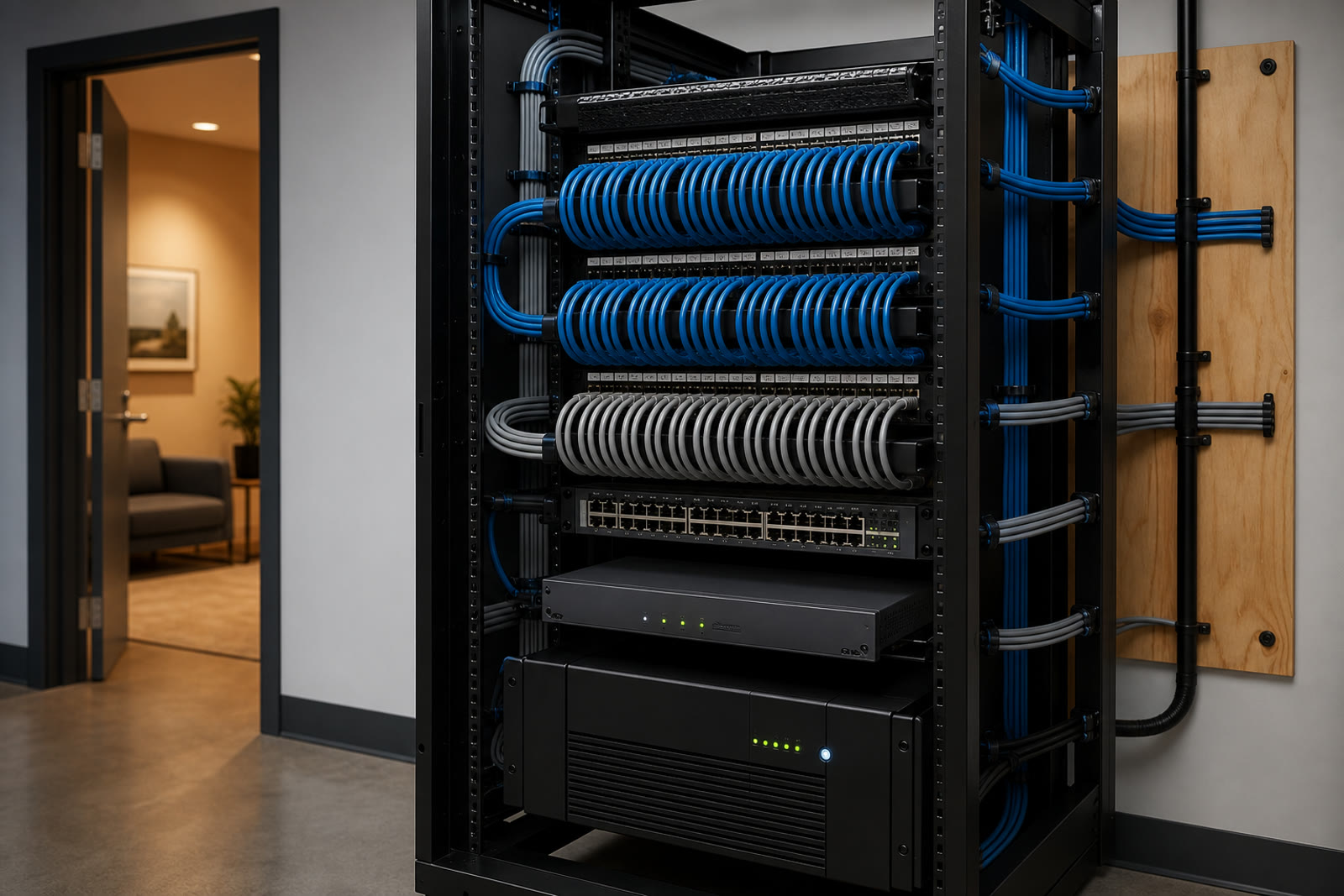
The back room rebuilt properly—labeled at both ends, battery-backed, and handed over with a diagram you keep.
See the full solution
How switching goes
Practice areas, systems, where documents actually live, who has access to what, and what your clients or insurer are asking you to attest to.
A flat monthly figure, plus a short prioritized list of anything genuinely at risk—typically access control, backup, and email authentication.
Nothing disruptive happens near a filing deadline, a closing, or a trial date. We ask for those dates first and we work around them.
Access reviews, offboarding, tested restores, and documentation you can hand to a client or an underwriter without preparing for a week.
Yes, all four, along with MyCase, Smokeball, PracticePanther, and Filevine. That covers setup, workspace and security structure, migrations onto or off a platform, and the desktop integrations attorneys interact with every day. Where a defect belongs to the publisher we escalate and stay on the ticket with you.
That is one of the most common projects we run for firms. It is mostly a structure and habits problem rather than a technical one, so we plan the matter and workspace layout with you first, migrate in stages, and keep the old location read-only for a period rather than deleting it on day one.
Yes, and we would rather build to it than write around it. We work through the questionnaire with you, tell you plainly which answers are currently no, and fix the ones worth fixing. Firms that do this once find the next questionnaire takes an afternoon.
A flat monthly figure based on the devices we manage rather than how many attorneys and staff you have. The base plan is $429/month for your firewall plus the first ten managed devices, with published tier rates above that and servers priced separately; it covers help desk, monitoring, patching, security tooling, and vendor escalation. Project work—a document system migration, a server replacement, an office move—is quoted separately so you can sequence it. Per-user billing is available on request, but devices are the default and usually the cheaper answer for a small firm.
Yes. Federal CM/ECF and PACER, Virginia circuit court filing through VJEFS, Maryland through MDEC, and DC Superior Court filing are configured on the machines that need them, with PDF settings that will not get a filing rejected.
As a checklist we run the same way every time: access revoked across every system on the day, mailbox preserved rather than deleted, devices collected and wiped, and a record of what was done. Most firms discover during onboarding that several past departures were never fully closed out.
Very. Business email compromise targeting settlement funds is the most expensive thing that happens to small firms, and it almost always starts with a mailbox nobody noticed was accessed. Mail authentication, mailbox rule alerting, and a verification step on payment changes are the controls that matter.
Yes, and it should not feel like a punishment. Secure remote access, laptops that are encrypted and managed, and phones that reach the firm number are all part of the standard build rather than an extra.
We support solo practitioners, boutique firms, and mid-size practices—litigation, family, immigration, estates, real estate, and government contracts—throughout the greater DMV. Our office is at 13873 Park Center Rd, Suite 184, Herndon, VA 20171. From there we serve the greater DMV—Northern Virginia (Loudoun, Fairfax, Arlington, Prince William, and the rest of NoVA), Washington DC, and Maryland (Montgomery County, Prince George’s County, and up to Baltimore), plus Northern Virginia south to Fredericksburg. We are a Northern Virginia shop, not a statewide Virginia vendor covering Richmond or the rural parts of the state. Remote-first IT support everywhere we cover; local engineers for onsite surveys, installs, and projects.
The controls behind the answers on a client security questionnaire—monitoring, hardening, and email authentication.
View CybersecurityImmutable copies and tested restores—the two items insurers now ask about by name.
View Ransomware-proof backupReception, direct lines, and calls that follow an attorney out of the office without exposing a personal number.
View Business phone systemsShare a few details about your space and what you're trying to accomplish—we'll follow up to schedule a walkthrough or a call.