A copy nobody can delete
One copy is held so it cannot be altered or erased for a set period—not by an attacker with your admin password, and not by us. That is the copy that saves you.

Backup & ransomware recovery · Northern Virginia & the DMV
Having a backup and being able to recover are different things, and most businesses only find out which one they bought on the worst morning of the year. We keep copies an attacker cannot reach, and we prove the restore works before you need it.
Why businesses call us
Almost every business we meet has something running. What they usually do not have is a tested restore, a copy the attacker cannot reach, and an honest answer to how long being down would actually take.
One copy is held so it cannot be altered or erased for a set period—not by an attacker with your admin password, and not by us. That is the copy that saves you.
We tell you plainly how long it takes to be working again and how much recent work you would lose. If that answer is unacceptable, we change the design, not the wording.
We perform test restores on a schedule and send you the result. Backup that has never been restored is a hope, and hope is what fails at 6am on a Monday.
Insurers and clients increasingly ask what you back up, how often, and where the offsite copy lives. You get that in writing rather than assembling it under pressure.
What you actually get
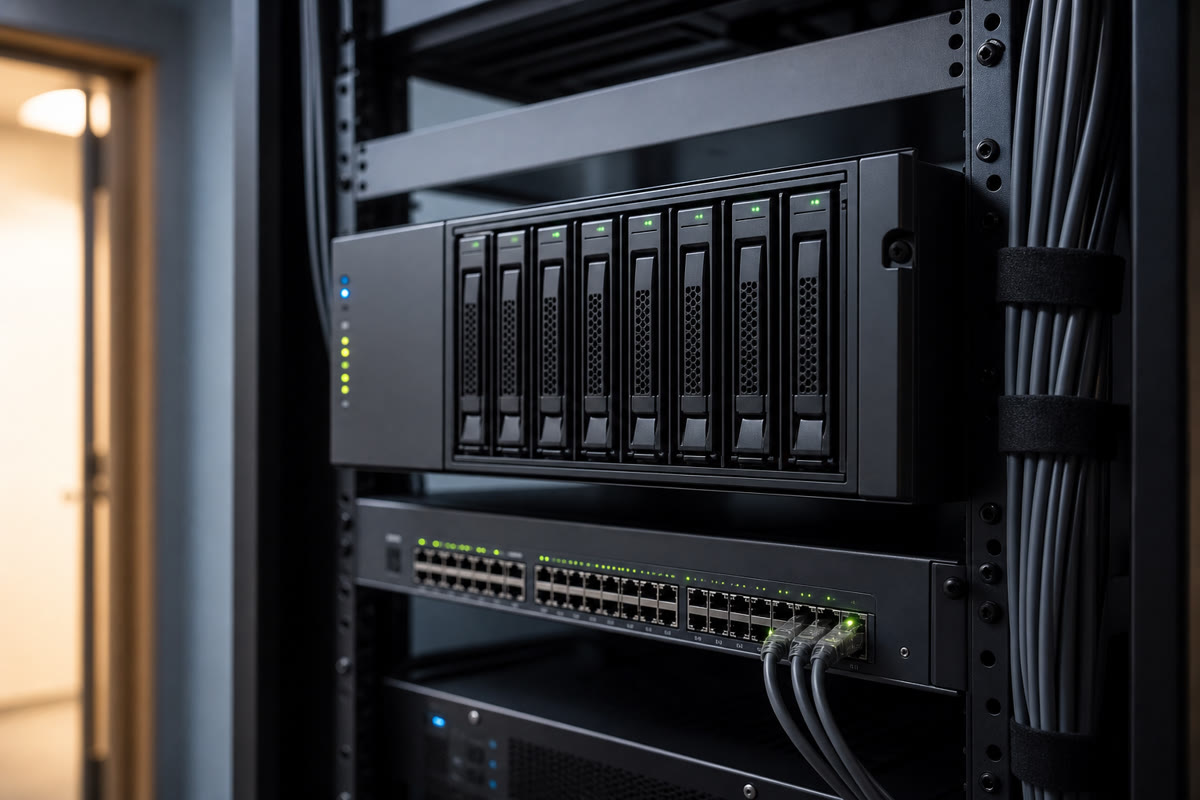
A copy on site so a routine restore takes minutes, and a locked copy off site so a fire, a theft, or an attacker with your credentials cannot take both.

We restore something for real on a set cadence and report what came back and how long it took. You see the evidence rather than a green icon.

Who we call, what comes back first, and how staff keep working while it happens. Written down before the bad day, not invented during it.
The honest comparison
Not because anyone was careless. It accumulated—a tool here, a sync folder there—and nobody was ever paid to own the whole picture.
How much data you hold, how far back you need to go, and how fast you must be running again are the three things that move cost—so we ask those first and quote against your answers rather than a generic per-device rate.
How it goes
What is running today, what it actually covers, and where the gaps are. Most reviews turn up at least one thing everyone assumed was protected and is not.
How long you can be down and how much work you can afford to lose. Those two answers drive the design and the price—not the other way around.
Local copies for speed, an offsite copy held immutable, alerting that reaches a human, and the whole thing documented in plain English.
Scheduled restore drills, results in writing, and a recovery runbook that stays current as your systems change.
Almost certainly not in the way you think. Cloud providers keep your service running and hold deleted items for a short window—that is availability, not backup. If a mailbox is wiped, or an attacker deletes a shared library and the retention window passes, the provider is not obliged to bring it back. A separate backup of your cloud mail and files is the fix, and it is inexpensive.
That depends on the design, which is exactly why we ask you first. Recovering a handful of files is minutes. Bringing a failed server back up locally is usually hours. Rebuilding from an offsite copy alone can be a day or more. We tell you the real number for your setup and, if you do not like it, we change the design.
One copy that cannot be altered or deleted for a fixed retention period, even by someone holding full administrator credentials. Modern ransomware goes looking for backups first, and any copy your admin account can erase is a copy the attacker can erase. Immutability is what breaks that.
We test. On a schedule we restore real data, confirm it opens, record how long it took, and send you the result. A green dashboard only proves a job ran—it does not prove the data comes back.
Yes, and this comes up constantly. Insurers want to know what is backed up, how often, whether a copy is offline or immutable, and whether restores are tested. We build to answer those honestly and give you the documentation to attach to the questionnaire.
It is a monthly figure driven by how much data you hold, how long you need to keep it, and how quickly you need to be running again. Small offices with cloud mail and a file share sit at the low end. A business with servers and a short tolerable downtime sits higher, because the design has to be different.
Only if your recovery time demands it. If being down for a day is genuinely survivable, cloud-only is cheaper and simpler and we will say so. If you need to be working within a couple of hours, local hardware is what makes that possible.
Often, yes. If the existing tooling is sound we would rather fix the gaps and add an immutable copy than sell you a migration. The audit tells us which it is, and we are straight with you either way.
We audit, rebuild, and monitor backup and recovery for small businesses, practices, and professional firms throughout the greater DMV. Our office is at 13873 Park Center Rd, Suite 184, Herndon, VA 20171. From there we serve the greater DMV—Northern Virginia (Loudoun, Fairfax, Arlington, Prince William, and the rest of NoVA), Washington DC, and Maryland (Montgomery County, Prince George’s County, and up to Baltimore), plus Northern Virginia south to Fredericksburg. We are a Northern Virginia shop, not a statewide Virginia vendor covering Richmond or the rural parts of the state. Remote-first IT support everywhere we cover; local engineers for onsite surveys, installs, and projects.
The broader page: cloud workloads, business continuity planning, and recovery runbooks in more depth.
View Cloud backup & disaster recoveryBackup is the last line. This is the rest of it—monitoring, hardening, and stopping the intrusion earlier.
View CybersecurityShare a few details about your space and what you're trying to accomplish—we'll follow up to schedule a walkthrough or a call.